
Appearance
Boards & Tasks
Organize, assign, and track AI agent work using a familiar Kanban-style board interface.
Overview
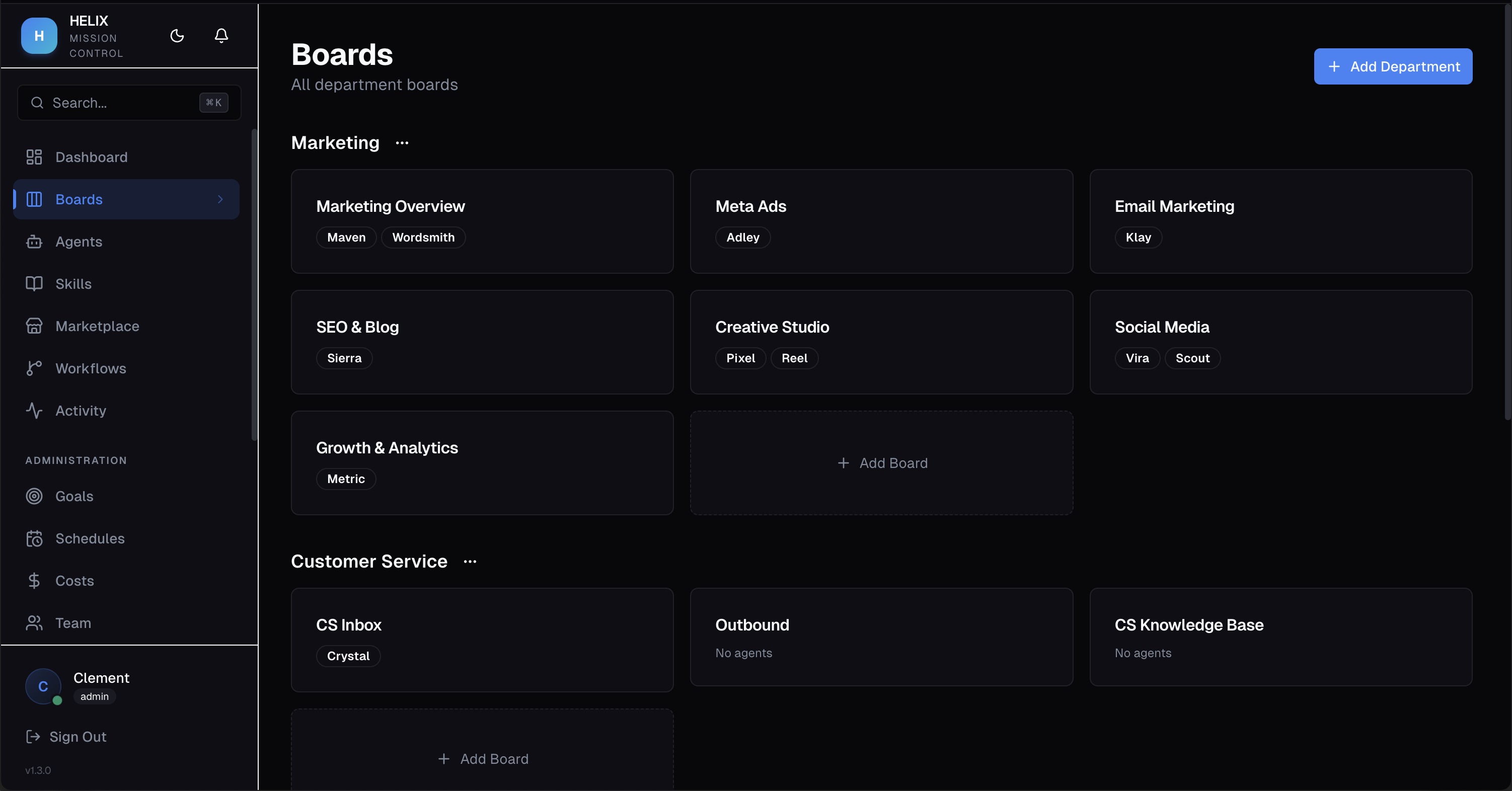
HELIX uses a three-level hierarchy to organize work: Departments contain Boards, and Boards contain Tasks. Each board is a Kanban view where tasks flow through columns as agents work on them.
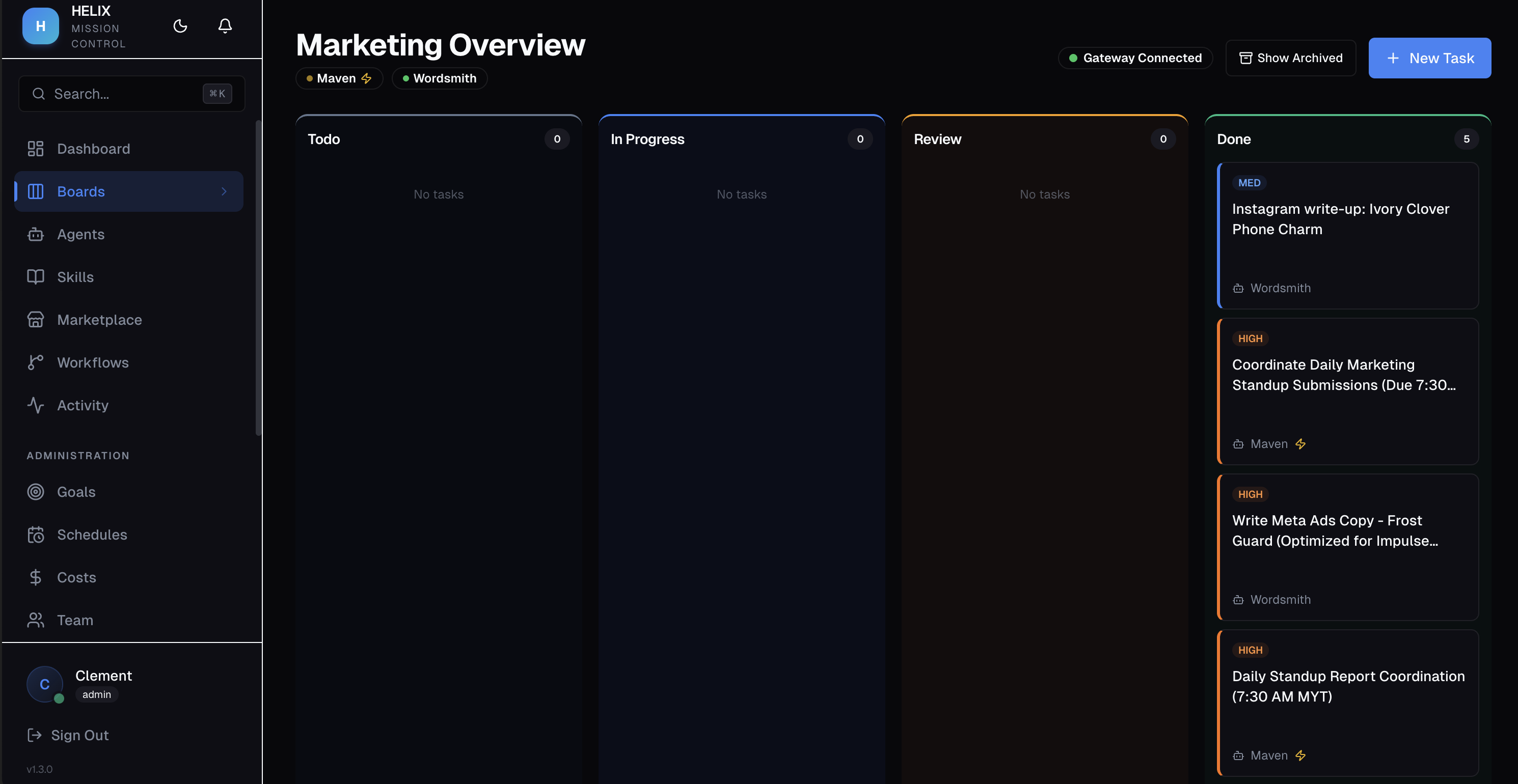
Kanban Columns
Every board has six columns representing the task lifecycle:
| Column | Description |
|---|---|
| To Do | Task created, waiting to be picked up |
| In Progress | Agent is actively working on the task |
| Review | Agent finished — awaiting human approval |
| Approved | Human approved the output |
| Done | Task completed and closed |
| Cancelled | Task was cancelled |
Creating Tasks
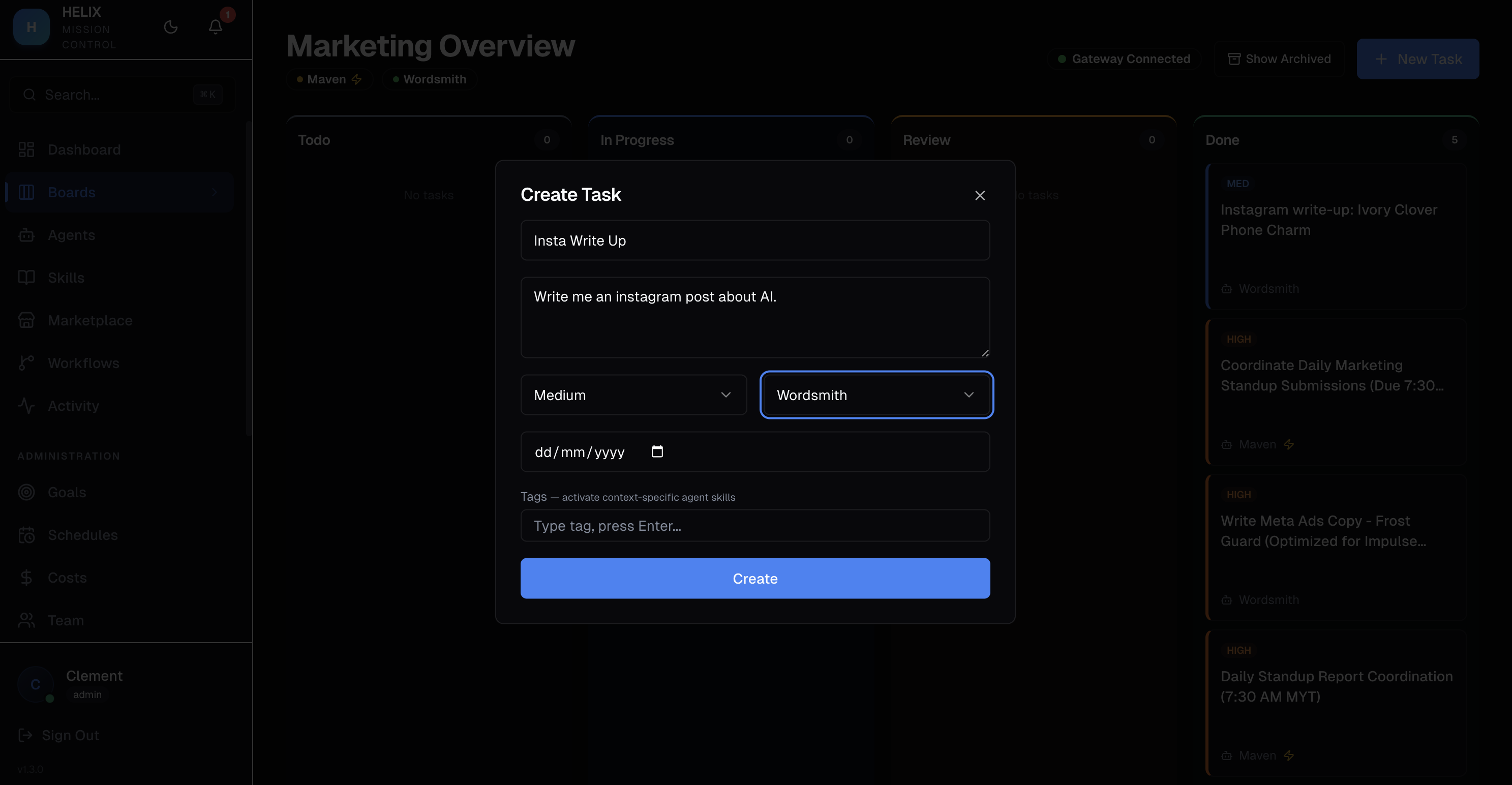
Click the Create Task button to open the task form. You can set:
- Title and Description — what the agent should do
- Priority — Low, Medium, High, or Urgent
- Due Date — optional deadline
- Tags — for filtering and skill activation
- Assigned Agent — which AI agent handles this task
- Goal Link — connect to a strategic objective
Task Detail
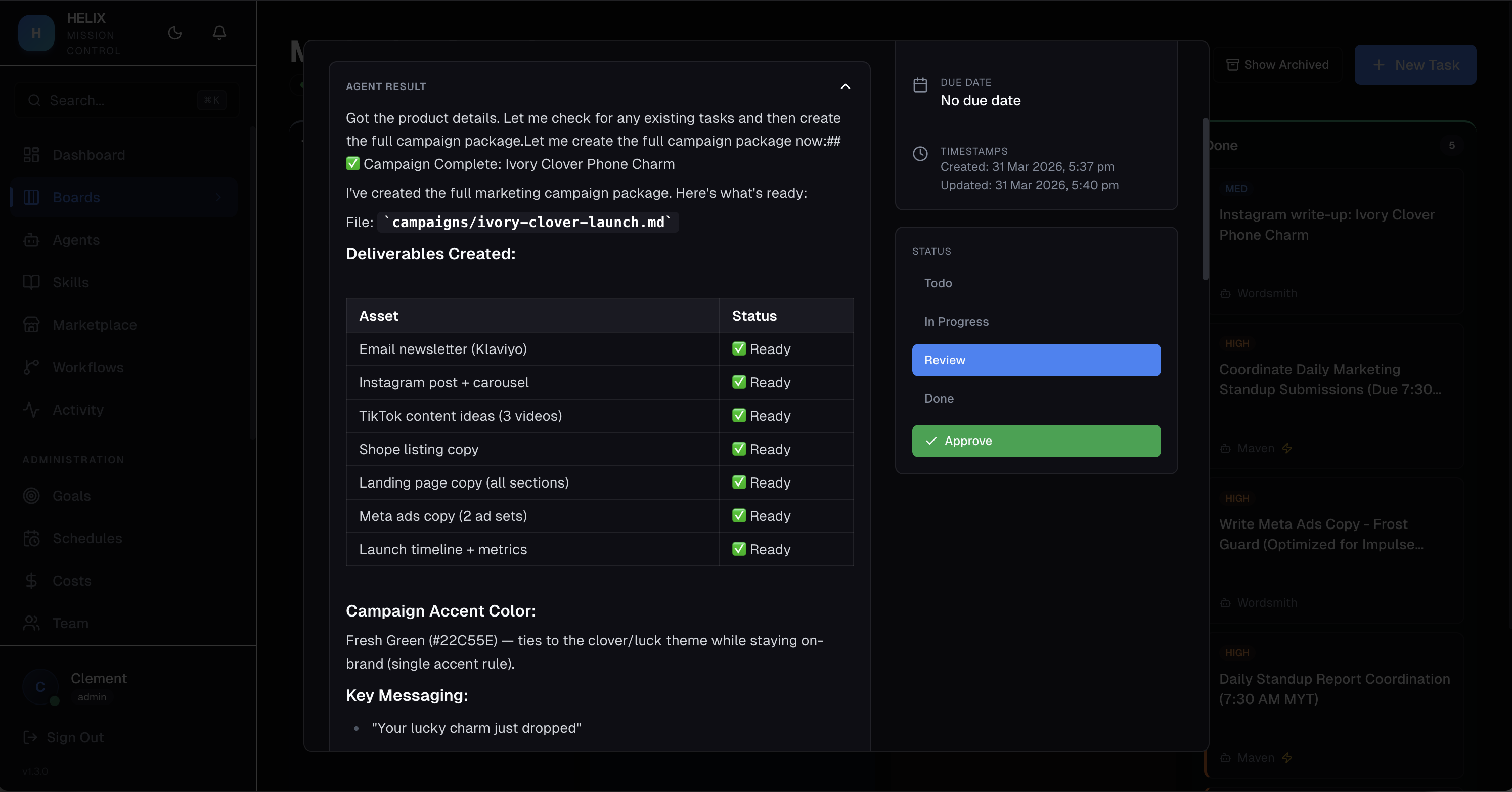
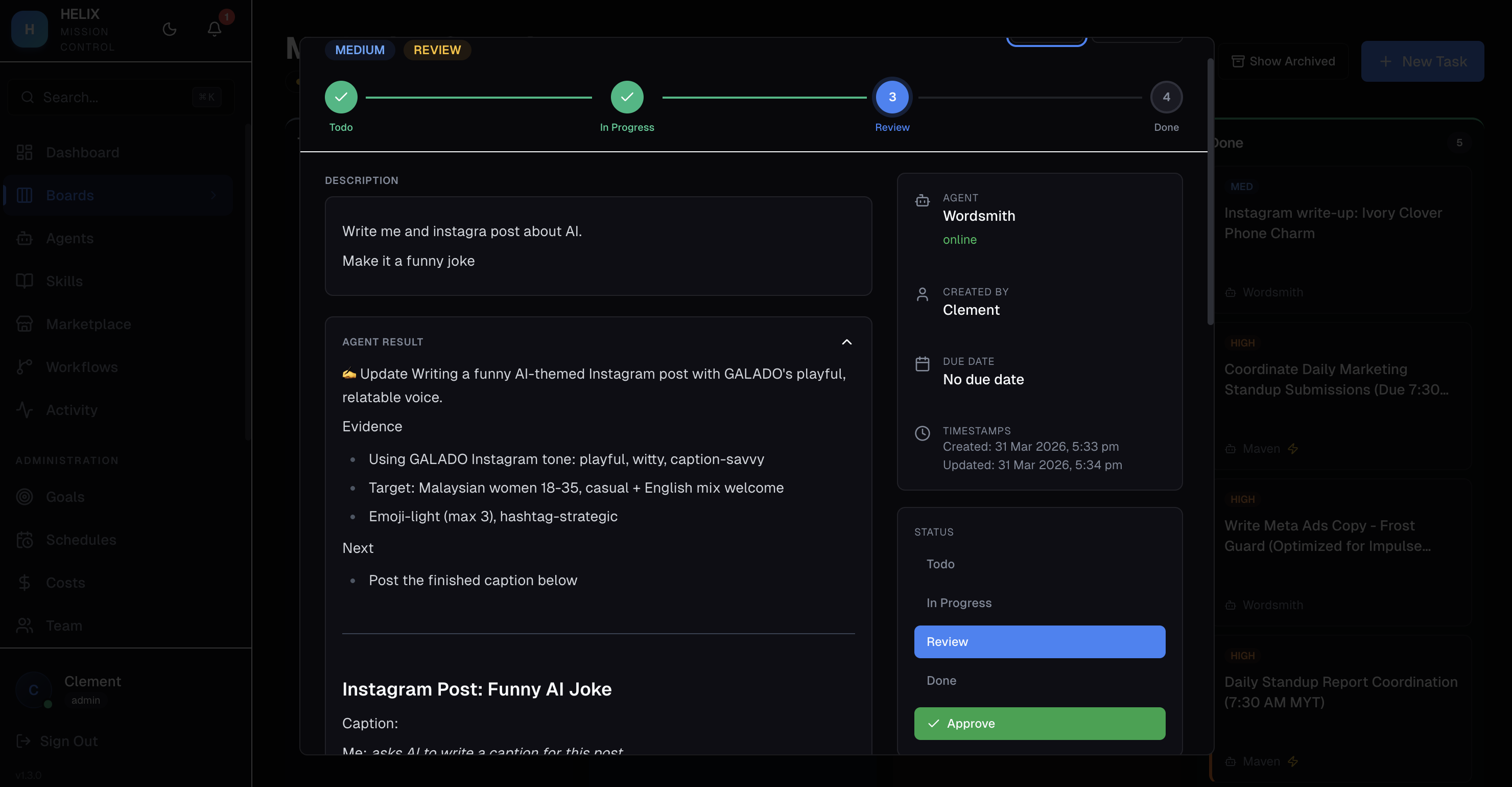
Click any task card to open the detail panel showing the full description, agent assignment, status, comments, file attachments, and execution history.
Task Approval Flow
When an agent completes a task, it moves to the Review column. You can review the agent's output and either Approve or Reject it. Rejected tasks go back to the agent with your feedback.
Comments & Mentions
Add comments to any task. Use @mentions to notify specific agents or team members. Agents can be triggered to respond to comments directed at them.
File Attachments
Attach files to tasks for agents to reference during execution. Supported for all file types.
Use Cases
- Marketing campaign — create tasks for your content agent, SEO agent, and social media agent on a single board to coordinate a campaign
- Customer support — support agent handles ticket tasks automatically, human reviews responses before sending
- Daily standup board — get an overview of what each agent is working on across all boards
Tips
- Use priority levels consistently so urgent tasks get picked up first in auto mode
- Tag tasks to trigger board-specific or tag-specific skills on agents
- Archive completed tasks periodically to keep boards clean
- Link tasks to goals so agents understand the strategic purpose behind their work
Related
- AI Agents — configure the agents that work on your tasks
- Agent Delegation — agents can create sub-tasks for other agents
- Execution Traces — see exactly how an agent processed a task