
Appearance
Agent-to-Agent Delegation
Enable agents to break down complex tasks and delegate sub-tasks to specialist agents.
Overview
Delegation allows a lead agent to identify parts of a task that would be better handled by specialists. During execution, the lead agent can request delegation to other agents, creating a coordinated multi-agent workflow without manual intervention.
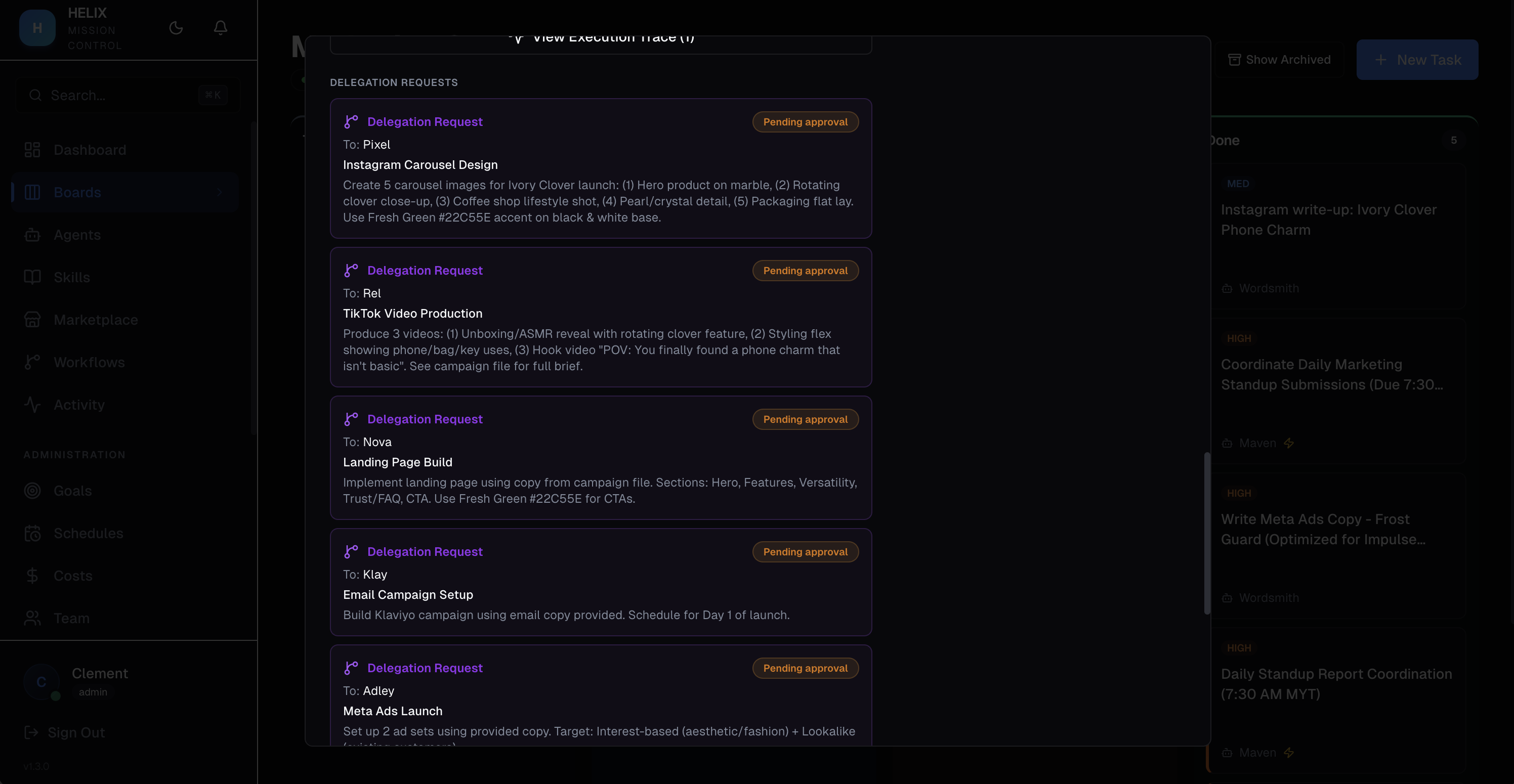
How It Works
- Lead agent receives a task and begins execution
- Agent identifies sub-tasks and includes delegation markers in its response:
[DELEGATE: AgentName | Sub-task Title | Description of what to do] - Human approves the parent task — sub-tasks are automatically created and dispatched to the named delegate agents
- Parent task enters "waiting" status while sub-tasks execute
- Sub-tasks complete — results are compiled and the parent task is re-dispatched to the lead agent with all sub-task outputs
- Lead agent produces final output incorporating all delegate results
Constraints
- One level deep — sub-tasks cannot delegate further, preventing infinite chains
- Maximum 5 sub-tasks per parent task
- Named agents only — the delegate agent must exist in your organization
Delegation Tree
The task detail panel shows a delegation tree visualizing the full hierarchy: parent task at the top, sub-tasks branching below with their assigned agents and statuses.
Use Cases
- Marketing campaign — a lead marketing agent receives "Launch Q2 campaign" and delegates content writing to the copywriter agent, design brief to the design agent, and SEO audit to the SEO agent. Once all three complete, the lead compiles the full campaign plan.
- Report compilation — a research agent delegates data gathering across multiple specialist agents (finance data, customer data, market data), then synthesizes everything into a final report.
Tips
- Name your agents clearly so the lead agent can reference them accurately in delegation markers
- Review delegation patterns in execution traces to ensure agents are delegating appropriately
- If an agent over-delegates, refine its system prompt to clarify what it should handle directly
Related
- AI Agents — configure the agents involved in delegation
- Boards & Tasks — where delegated sub-tasks appear
- Execution Traces — trace the full delegation flow