
Appearance
Dashboard
Your command center for monitoring AI agent activity, task progress, and organizational health at a glance.
Overview
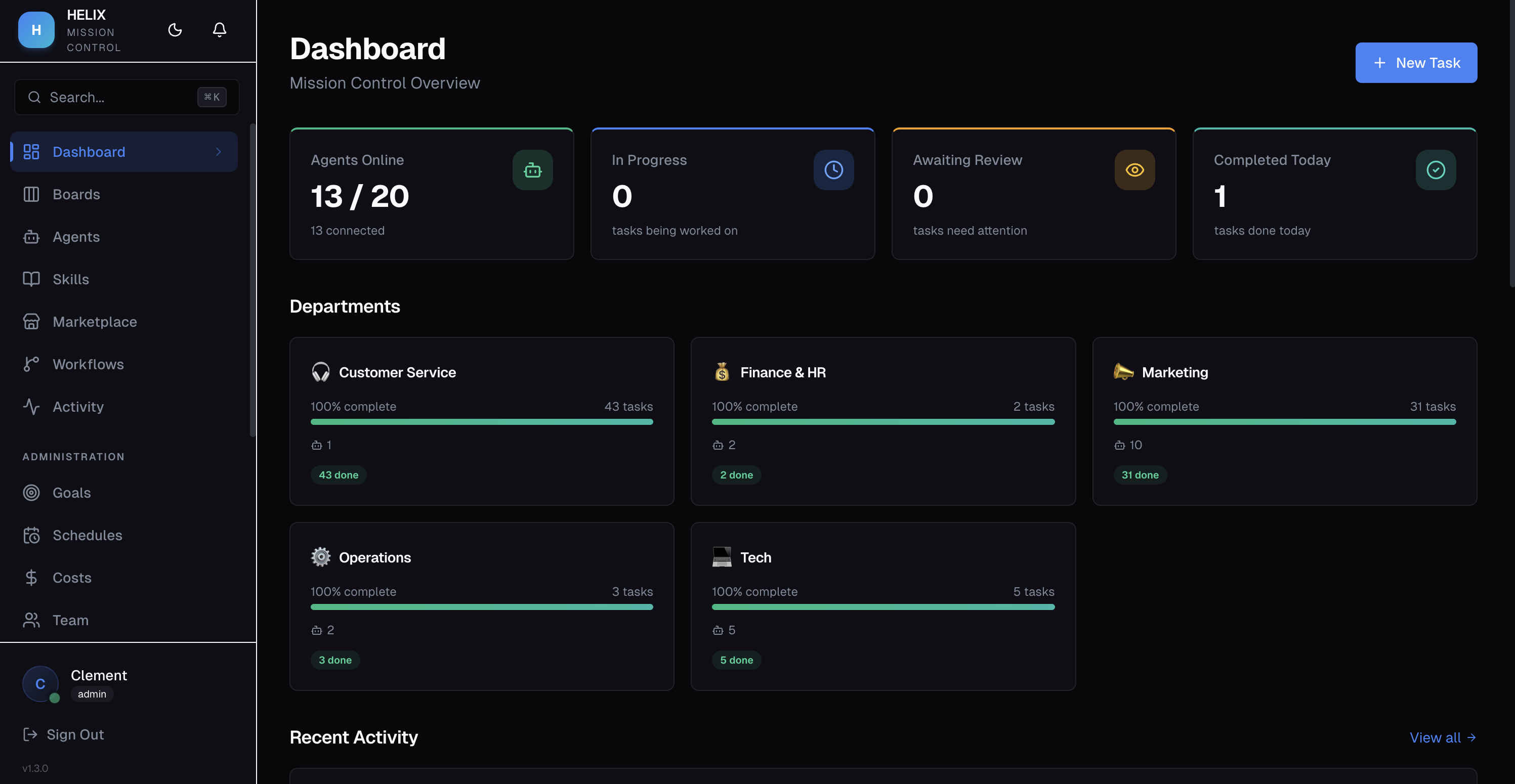
The Dashboard is the first page you see after logging in. It provides real-time KPI cards, activity charts, and quick access to everything happening across your organization.
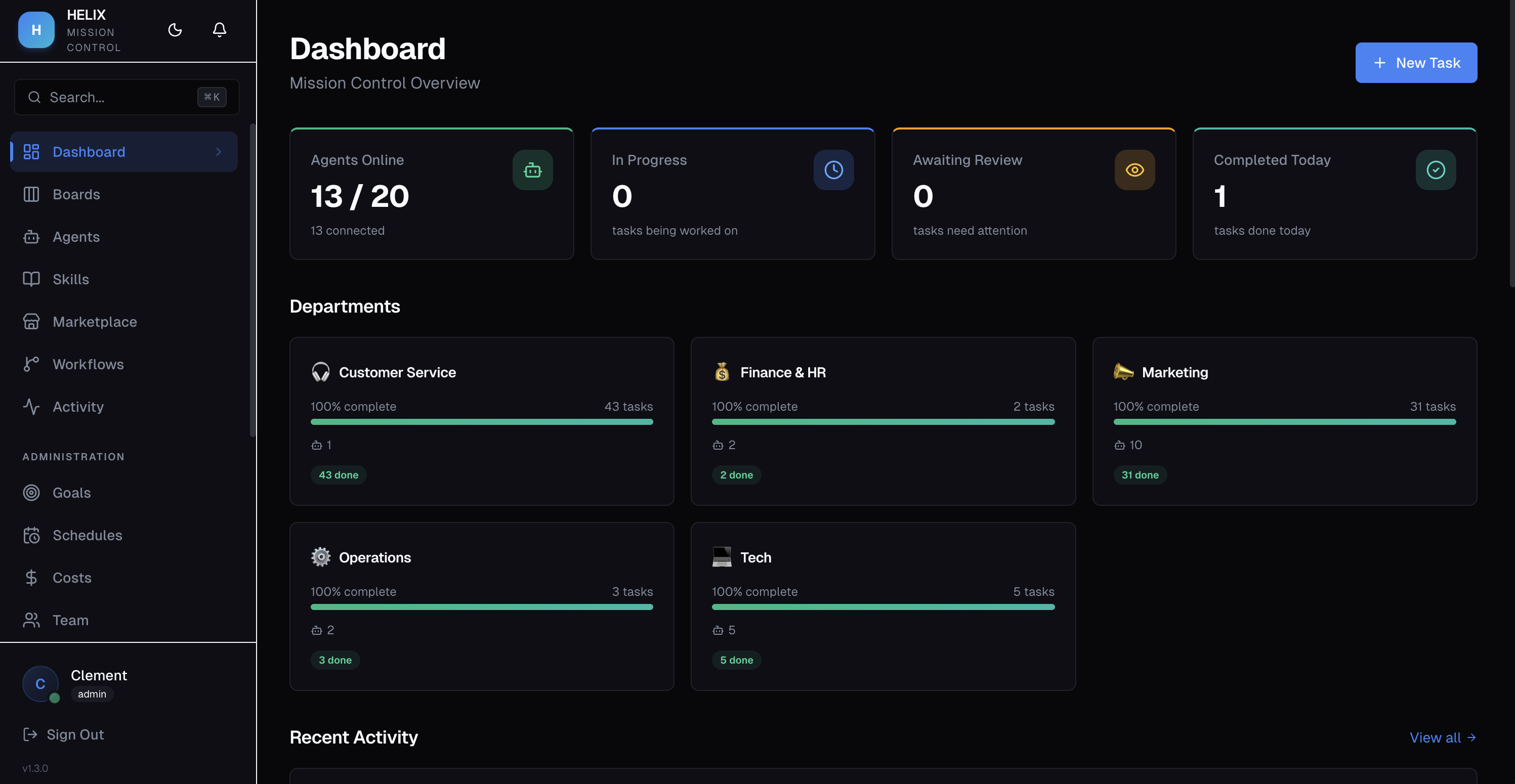
KPI Cards
At the top of the dashboard, you'll find key metrics:
- Active Agents — number of agents currently online and processing tasks
- Tasks in Progress — tasks currently being worked on by agents
- Tasks Completed — total tasks finished in the current period
- Pending Approvals — tasks awaiting human review
Activity Feed
The activity feed shows real-time events across your organization — task completions, agent status changes, new comments, and approvals. This gives you a live pulse of what's happening without navigating to individual boards.
Expiring Soon
Scroll down to see trials and subscriptions approaching their expiry date.
Active Goals
The dashboard surfaces your active mission and top-level objectives so you can see how daily agent work connects to strategic goals.
Auto-Refresh
The dashboard refreshes automatically every 5 minutes, keeping your view current without manual reloading.
Use Cases
- Morning standup — team lead checks the dashboard for overnight agent activity, reviews pending approvals, and identifies blockers
- Performance tracking — monitor task completion velocity across departments to spot trends and bottlenecks
- Goal alignment — see how daily agent work maps to strategic objectives and ensure the team stays on track
Tips
- Use the dashboard as your daily starting point to triage pending approvals before they pile up
- Keep an eye on the activity feed for unexpected agent errors or unusual patterns
- The expiring soon section helps you plan license renewals ahead of time
Related
- Boards & Tasks — dive into specific task boards
- Goals & Strategy — manage your goal hierarchy
- Token Budgets & Costs — monitor agent spending