
Appearance
Scheduled Tasks
Automate recurring work by scheduling agents to create and execute tasks on a regular cadence.
Overview
Schedules let you configure agents to automatically create and execute tasks at defined intervals — daily, weekly, monthly, or custom. No manual task creation needed for routine work.
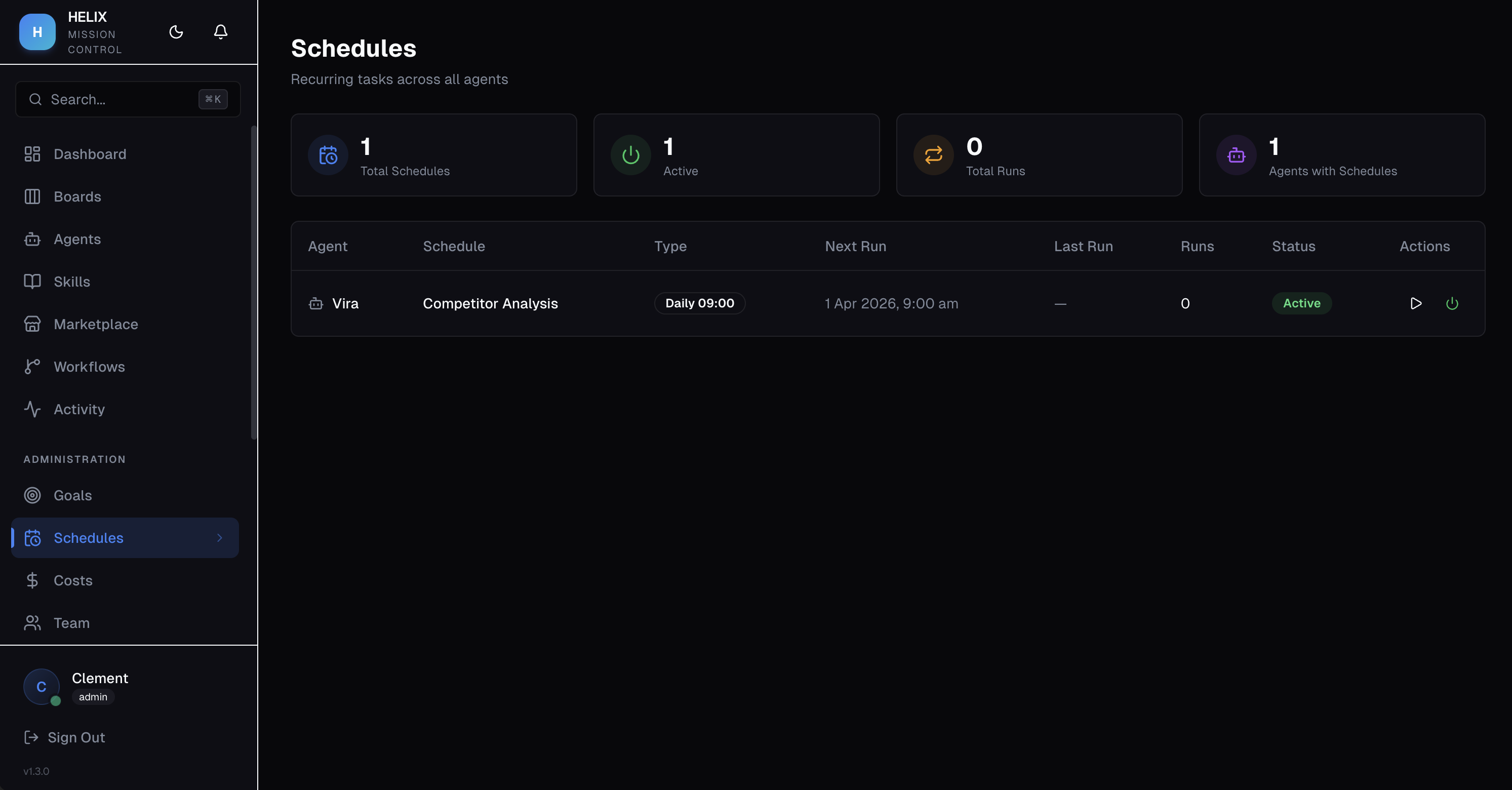
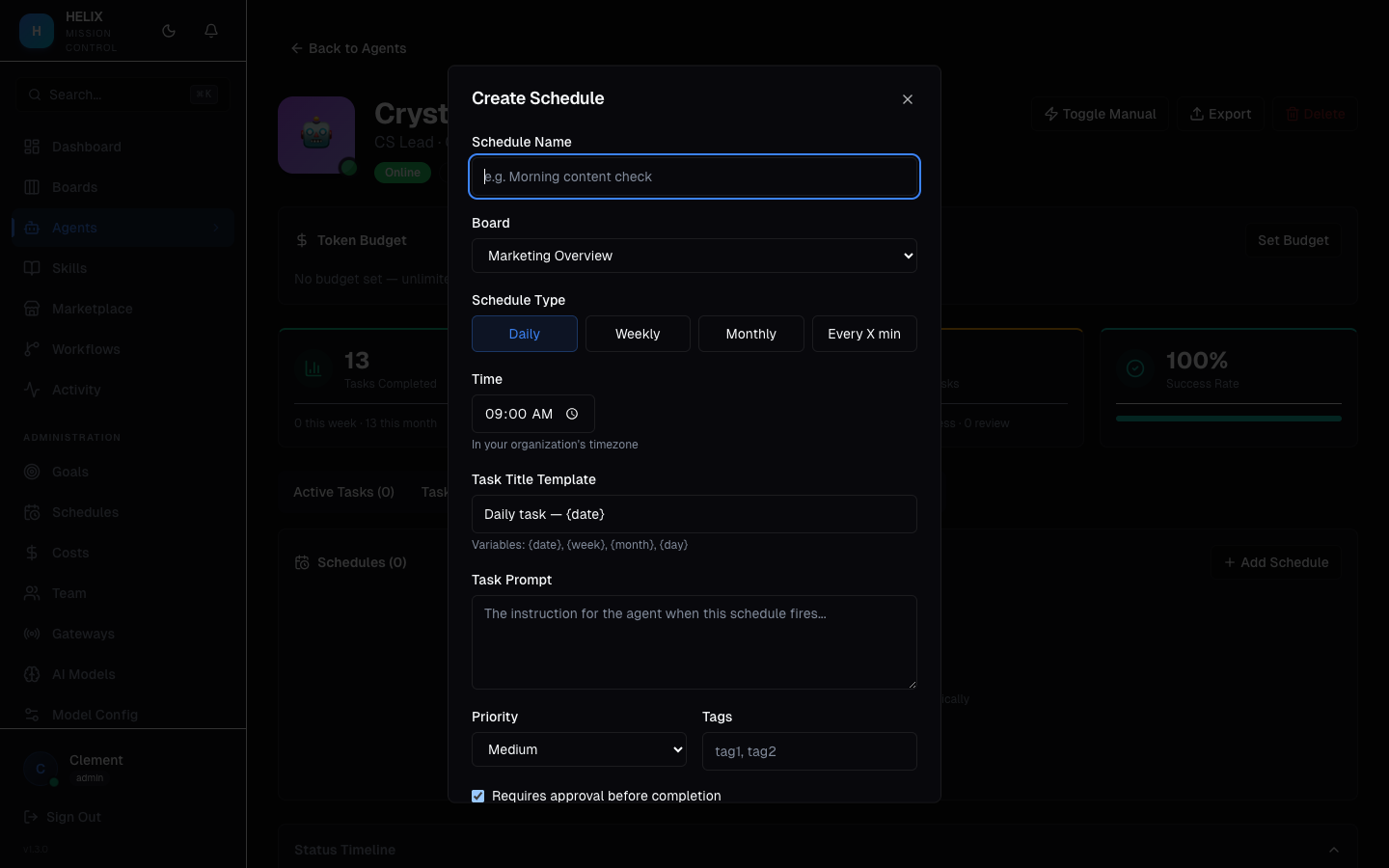
Creating a Schedule
Click Create Schedule and configure:
- Agent — which agent executes the scheduled task
- Task Title Template — supports date variables for dynamic titles
- Description — what the agent should do each time
- Frequency — Daily, Weekly, Monthly, or Interval
- Requires Approval — whether the task goes to Review before completion
- Board — which board the task is created on
Frequency Options
| Frequency | Behavior |
|---|---|
| Daily | Creates a task every day at the specified time |
| Weekly | Creates a task on selected days of the week |
| Monthly | Creates a task on a specific day each month |
| Interval | Creates a task every N hours/minutes |
Run Now
Every schedule has a Run Now button to trigger an immediate execution outside the regular cadence — useful for testing or one-off needs.
Use Cases
- Daily social media — content agent creates and drafts social posts every morning at 9am
- Weekly report — analytics agent compiles performance metrics every Monday morning
- Monthly audit — compliance agent runs a security review on the first of each month
Tips
- Use the Requires Approval option for schedules that produce external-facing content
- Test new schedules with Run Now before relying on the automated cadence
- Use date variables in task titles (e.g., "Weekly Report — {date}") to keep tasks distinguishable
Related
- AI Agents — agents that execute scheduled tasks
- Boards & Tasks — where scheduled tasks appear
- Token Budgets & Costs — monitor cost of recurring tasks